The Broker Configures Itself
Three tiers of access, so brokerages configure real trading infrastructure themselves instead of filing a ticket for every setting
Company
TradeLocker
Role
Senior Product Designer
Scope
Back-office platform
Status
In progress
Where things stood
The back-office we were replacing wasn't ours to begin with — a legacy system we licensed and paid for, inherited rather than designed. Its permission model was broken by default: little real separation between looking at a configuration and being able to break it. Nothing validated a change before it went live, nothing warned an operator they were about to take down a brokerage's setup, and nothing let them undo it cleanly if they did.
On top of that, it didn't distinguish between our team configuring the platform on a broker's behalf and the broker's own team trying to operate it day to day. Everything ran through one undifferentiated tool. Every configuration change — including ones a brokerage should reasonably make themselves — went through us.
That made onboarding slower than the underlying complexity actually required. Concepts like trading session windows aren't simple, but they aren't impossible to hand to a broker either — not if the interface explains what it's doing instead of exposing raw configuration. Without that translation layer, every new brokerage onboarding became a queue of setup requests instead of a self-serve process.
What I worked on
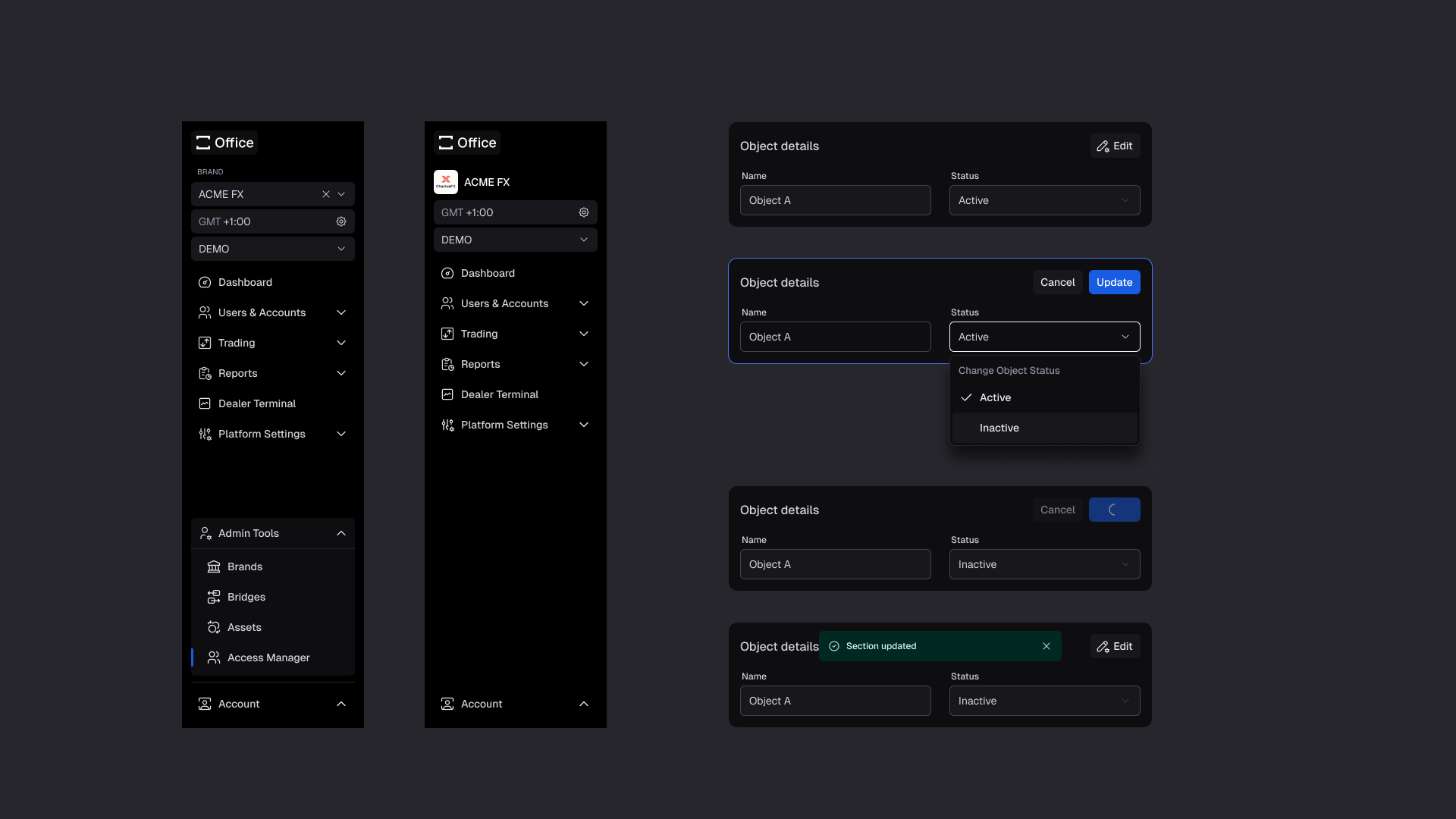
The rebuild introduced three tiers instead of one flat login. Internally, a superadmin role covers our own team's work configuring the platform on a broker's behalf — deep, platform-level setup that shouldn't be exposed broadly, used during and after onboarding. In the middle, an integrator role manages configuration across multiple brokerages at once — a different job from operating a single organization's own setup, and one the other two tiers weren't built for. On the brokerage side, a self-serve tier recognizes four roles: platform management, the relationship-level view for configuration and oversight across the brokerage's own setup; support, the day-to-day operational view for resolving client issues without the full administrative surface; platform data analysis, the reporting and insight view for trading and platform data without the controls that don't belong to that job; and dealing, the live, trading-facing view built for speed and accuracy in the moment.
Integrators needed a different interface problem solved than either of the other two tiers. Self-serve roles operate inside one brokerage's own context — everything on screen belongs to them. An integrator operates across several, and the interface has to make it obvious which brokerage's configuration is currently in view, and let someone move between them without carrying a setting across by mistake.
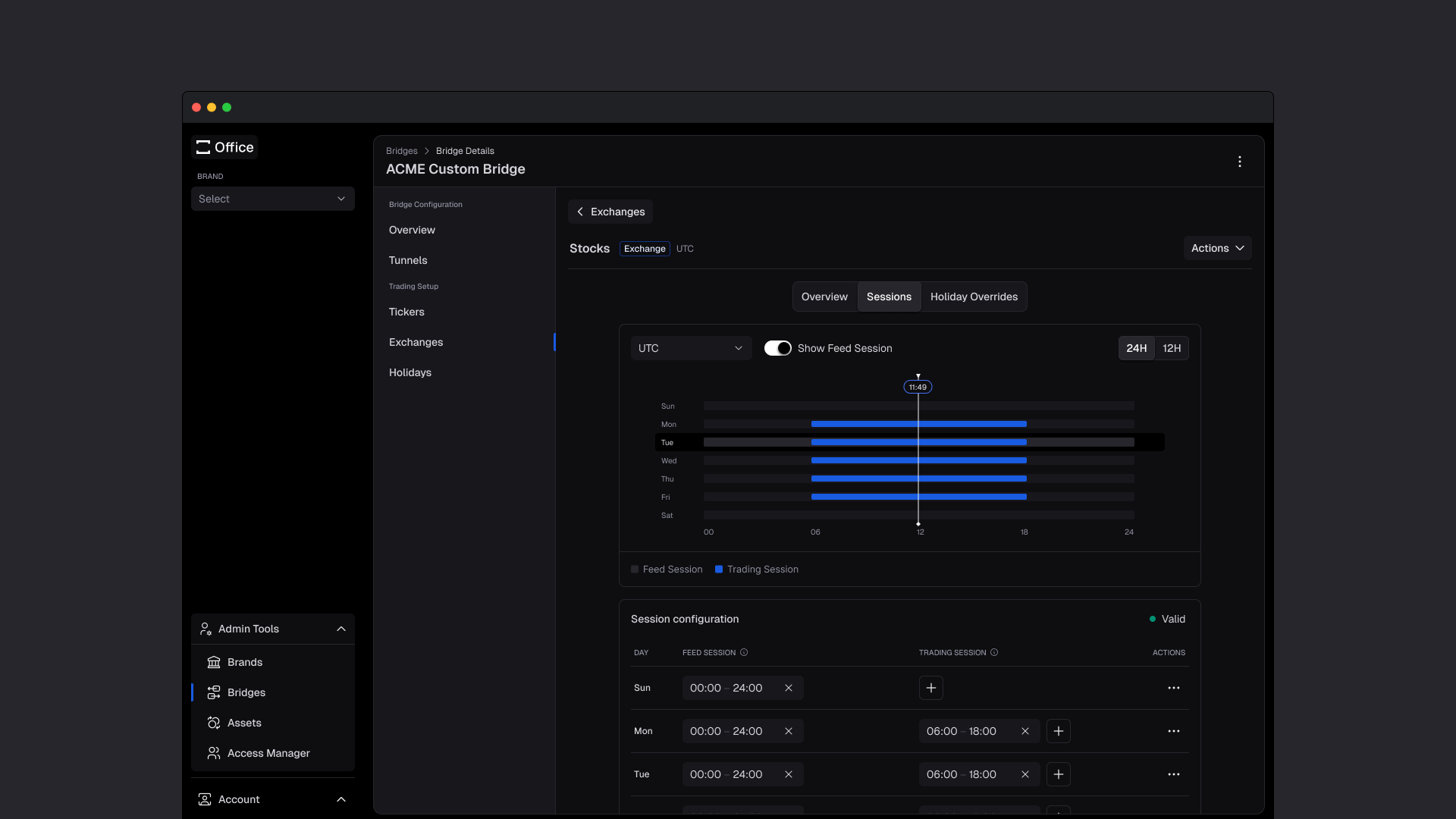
The harder design problem lived inside the self-serve tier: taking a genuinely technical concept and making it configurable by someone who isn't an engineer, without hiding what it actually does. Trading session windows are the clearest example — defining when an instrument is open for trading isn't a single toggle, it's a set of interacting rules. The interface has to make those rules legible enough that a brokerage's own ops person can set them correctly and trust the result, the first time, without escalating to us.
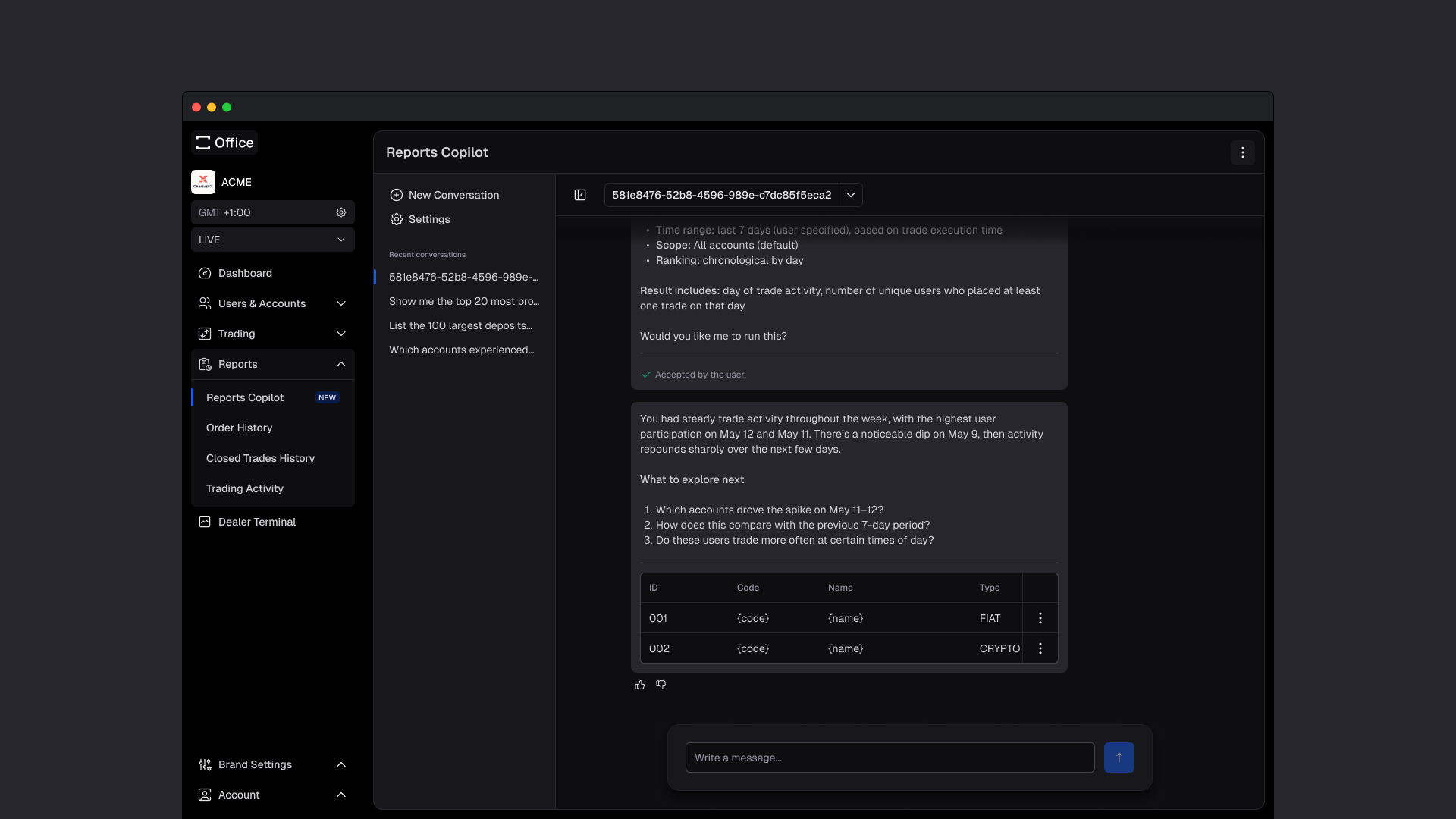
Platform data analysis needed a different kind of self-serve. Most of what a brokerage asks for isn't a new screen — it's a new question about data we already have. Building a bespoke report for every request doesn't scale, and it puts us in the way of an answer the brokerage should be able to get on their own. We leveraged AI so brokerages can describe the report they need and get it generated directly, instead of us shipping another static screen every time someone asked for a different cut of the same data.
What changed
We stopped paying for a system we didn't control. Permissions are enforced by design now, not left to an operator's memory of what's safe to touch — a change that would break a live configuration gets caught before it ships, not discovered after a brokerage calls in.
Onboarding conversations shift from “set this up for us” to “here's where you set this yourselves.” The superadmin tier still exists for what genuinely needs to stay on our side, but the default path for a new brokerage no longer runs through a queue of configuration requests.
It changed how we ship features more broadly. A custom report used to mean scoping, designing, and building a new static screen for one brokerage's specific request. Now the AI-driven reporting layer answers that request directly — we're no longer the bottleneck between a brokerage's question and the answer to it.
What carries over
Self-serve isn't just permission-gating — it's translation. Giving someone access to a setting doesn't help if they can't tell what the setting actually does. The design work in a self-serve tier is teaching the concept and letting someone act on it in the same interface, at the same moment.
What this changed, in practice
Left the legacy vendor
Replaced a licensed system with broken permissions and no safeguards against breaking a live configuration — built and owned in-house instead.
Three tiers
Our own configuration work, integrators managing multiple brokerages, and a single brokerage's day-to-day operation are now three separate surfaces, not one shared login.
Self-serve onboarding
Brokerages configure real trading infrastructure — like session windows — themselves, through an interface built to make the underlying rules understandable.
Feature delivery
Custom requests like reports are answered through AI-generated output instead of a new static screen for every one-off ask.